
Online mastering. Made by musicians.
Mastering is the final stage before release. It shapes level, tonal balance, dynamics and stereo image so the finished track translates more consistently across different listening systems. Here is exactly how ReVibe handles yours.
The signal path
The delivery check
Every ReVibe Master has to pass the same delivery check: the target is −9 LUFS integrated, and every peak is held under a −0.5 dBTP ceiling. If a render misses the target, we do not deliver it. It fails instead of shipping you something wrong.
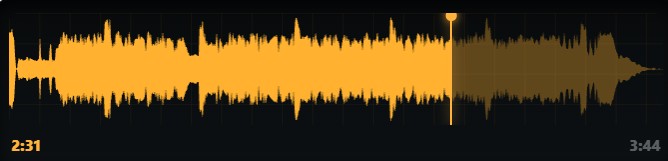
When you compare your original with Balanced, Warm and Bright, you hear each one as delivered. Louder can sound better at first even when it isn’t, so the player has a Match volume switch: turn it on and the masters are turned down to your original’s loudness for a fair comparison.
With Match volume on, loudness stays the same when you switch between versions, so you are judging the differences in tone, dynamics and stereo character — not being influenced by volume.
Choose Balanced, Warm or Bright. Choose Natural or Fresh while you listen — both width versions are included. Hear the finished master as delivered, or turn on Match volume for a fair comparison. Listen before you buy.
Balanced · Warm · Bright
None of these is better than the others. They are three different approaches to your track, and the right one depends on the music and what sounds right to you. That is why you hear all three before you decide.
Clears the very bottom, takes a little weight out of the low mids where mixes can become cloudy, and adds a touch of air at the top. Gentle multiband compression evens out the dynamics without flattening them, with a very slight widening. It is the least opinionated of the three.
Adds weight low down around 120 Hz, clears the mud just above it, and softens the top end rather than lifting it. The compression is slower and gentler than Balanced, and the very highest frequencies are eased off. The result is smoother and slightly less forward.
Tightens the bottom and adds a stronger lift at the top. Faster compression on the high band keeps that brightness under control, and the stereo image is noticeably wider than the other two.
Low · High
Under the player there are two controls: Low and High. They only cut, never boost, and run from 0 to −6 dB.
Low reduces the bottom end around 150 Hz. High reduces the top end around 8 kHz.
They are there because a master can sound right on your speakers but behave differently in a car or another listening system. If there is too much bass or too much top, you can adjust it here, by ear, on the version you are actually considering.
Whatever you set is built into the finished master. It is brought back to the same −9 LUFS target and −0.5 dBTP ceiling afterwards, so cutting bass or top never leaves you with a quieter track — and your finished master is made with those settings when you buy.
The roll-off is a setting, not a separate product. Balanced with the bass rolled off is still Balanced.
There is also a bypass button. Use it to compare your adjustment with the flat version instantly.
Deliverables
Before you pay: sixty-second previews of your original and all three approaches, with Match volume in the player for a fair listen.
After you buy: your master in both widths — Natural and Fresh — each as a 24-bit WAV and a 320 kbps MP3, plus the ReVibe Report and a before-and-after spectrum image. A mono mix gets Natural width only.